Share the record, and rerun it
This cookbook shares a record with someone who was not there, and has their agent clone it, rerun it, and read what the criteria become.
Your advisor wants to see where the work stands without your repository, and to check it rather than take your word for it. A page lets them read it. A bundle lets their agent rerun it on their own machine.
Paste this into your agent
Section titled “Paste this into your agent”Write a page I can send, and a bundle anyone can rerun.
Give it the address you will host the folder at.
Share this Rabbit Brain record with my advisor.

- Write one page I can send: `rb page`.
- Write a bundle to host at https://example.org/int8-resnet/: `rb export --with-record --url https://example.org/int8-resnet/ --out ~/int8-site`.
- Tell me what each one carries, as rb says it: the page alone, or the record too.
The record: the INT8 ResNet-20 evaluation, three seeds run through rb journal run, each with its command and commit. The code lives in a git repository the reader can clone.
What you’ll see
Section titled “What you’ll see”One page to send. rb page writes the record as one self-contained HTML file. It names no writer and none of your words, so you can send it to anyone:
$ rb pagerb-page.html written: the project as one file, readable anywhere; send it to anyone.It is the record as computed now; regenerate after new runs. If it ever disagrees with rb status, rb status is right.A bundle to publish. rb export --with-record --url writes a folder for any static host: the page, the record, and bundle.zip. rb says what the record keeps, since anyone who can read the bundle can read all of it:
$ rb export --with-record --url https://example.org/int8-resnet/ --out ~/int8-site~/int8-site written: the whole record, the page, and a manifest hashing every file.Readable without rb; rb status inside record/ reopens it. Regenerate after new runs.The record keeps who made each write (human:<name> or agent:<name>, and the channel it came through), an agent's chat session, name, version, provider and model, the user's words passed with --words, and each run's host, platform and branch. Anyone who can read the bundle can read all of it.Code repository recorded: https://example.org/ada/int8-resnet.git at 6de000ee79. Pass --no-repo to leave it out.Publish the directory at the address you gave; page.html is the reading surface and anyone reproduces it with: rb clone https://example.org/int8-resnet/bundle.zip$ ls ~/int8-siteREADME.mdbundle.zipmanifest.jsonpage.htmlrecordpage.html in that folder, open in a browser:
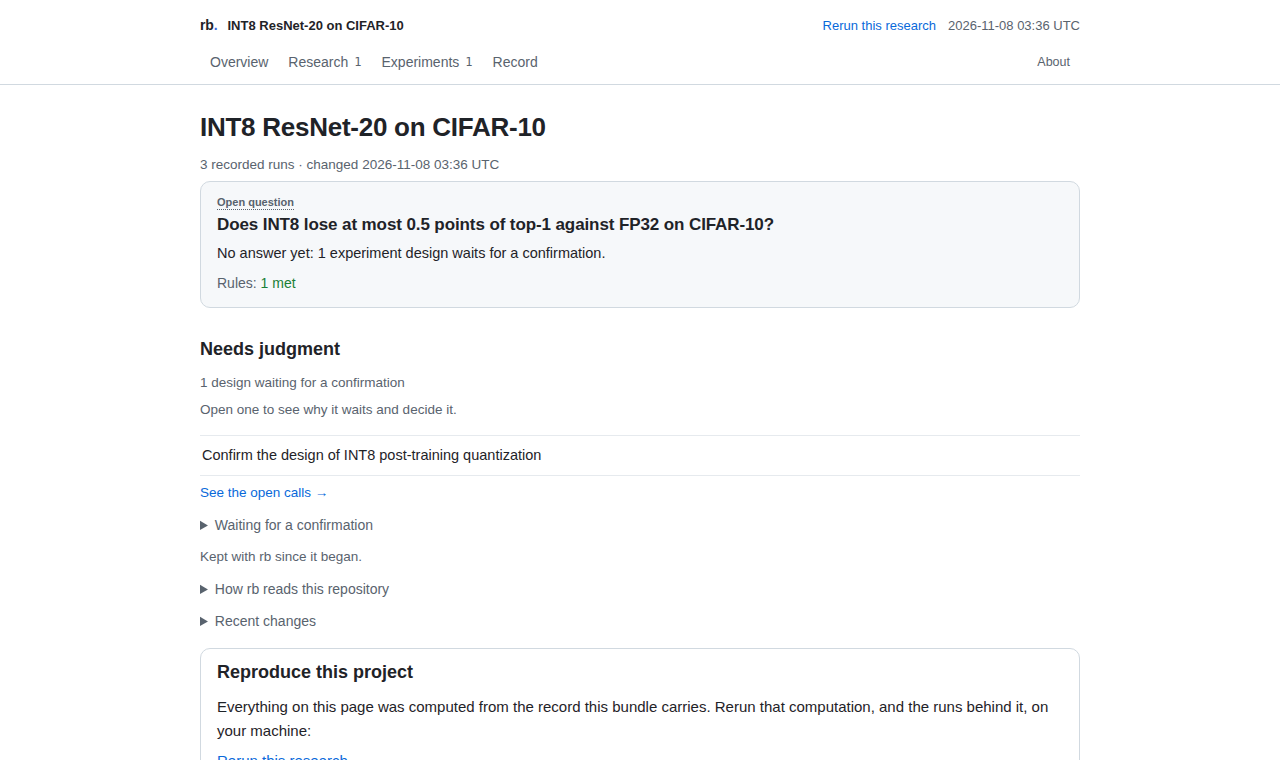
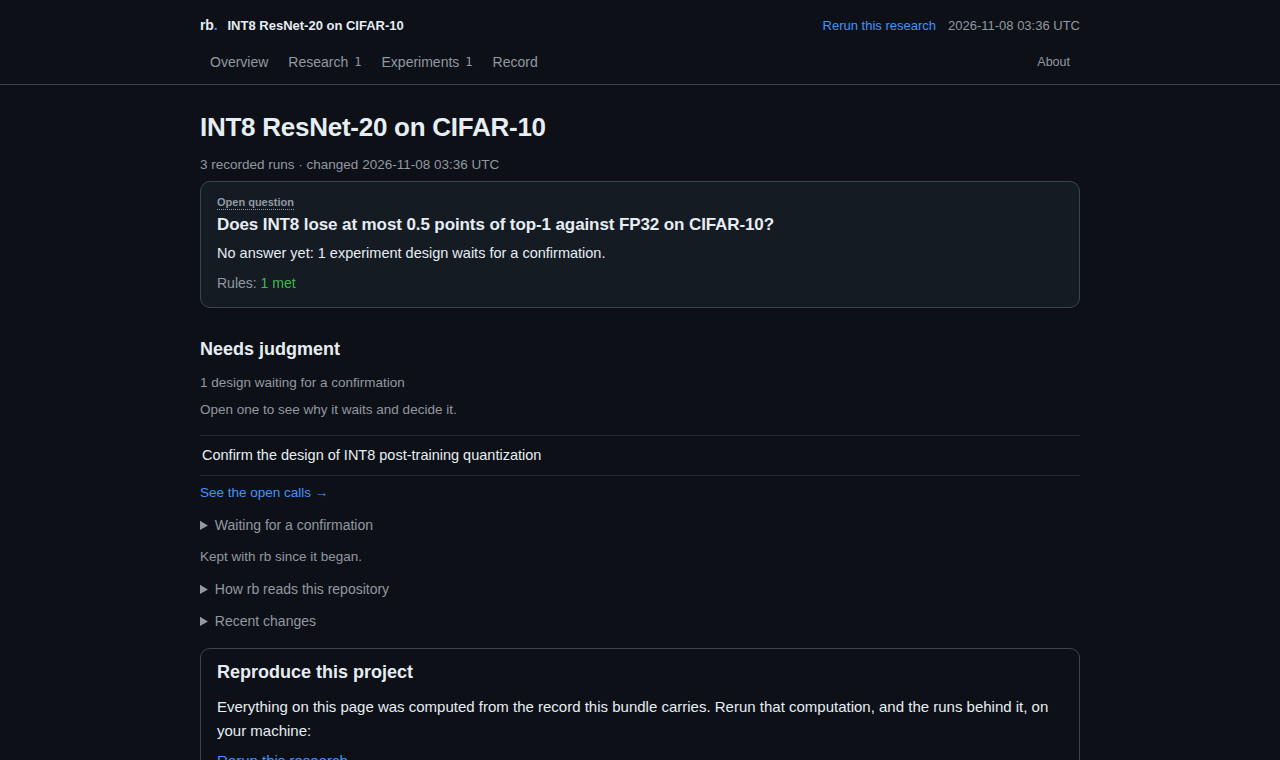
Its Rerun this research link opens a panel. This is its prompt, as rb wrote it into page.html. Whoever reads the page copies it into their own coding agent:
Rerun this research
The prompt on the page rb exported, word for word.
Rerun this research with Rabbit Brain (rb). Its record: https://example.org/int8-resnet/

1. Install rb: pip install rabbit-brain
2. Clone the record into a new folder: rb clone https://example.org/int8-resnet/bundle.zip int8-resnet-20-on-cifar-10. This bundle names the code: rb clone gets it too, at the commit the record names, and puts the record in it. If it says it could not get the code, tell me what it says and stop: once I give you an address of the code, rb clone https://example.org/int8-resnet/bundle.zip <another new folder> --code <that address> gets it.
3. In that folder, run rb context and read it before anything else. Its "Rerun the parent" part names the code and whether it is here, each resource, such as a model or a dataset, with how to get it, and the first command for each experiment.
4. Get those resources. Run each experiment's commands in the order rb context names them, each as rb journal run -- <command>; where rb context names a command that puts a run's code here, run that one first. After each, run rb reconcile and record the run it proposes with the rb run add line it prints.
5. Then run rb status, and tell me which rules reproduced and which did not, with their numbers. Do not change a rule. If something cannot run here, say what and why.
What the reader’s agent did
Section titled “What the reader’s agent did”We followed that prompt, step by step, in a fresh agent session in another folder, with the bundle saved there as int8-record.zip. Everything below is rb’s real output.
-
Clone the record
The bundle names its code, so
rb clonegets it too: the clone is a checkout of that code at the bundle’s commit, on a branchrerun, with the record in it.Terminal window $ rb clone int8-record.zip int8-advisorint8-advisor: "INT8 ResNet-20 on CIFAR-10" cloned: 1 experiment, 1 criterion, 1 metric, 0 resources. Everything arrived inherited; nothing counts until it is reproduced here.It is a checkout of the code at 6de000ee79e2, on branch rerun; the record is its latest commit, in place of the parent's, which git keeps at 6de000ee79e2.The parent's runs, analyses and decisions stay in the parent's record. Record runs made in this repository, and each inherited criterion reads them like any finding: reproduced or not reproduced.The code: https://example.org/ada/int8-resnet.git at 6de000ee79e2, checked out here. The parent's record is taken out of this branch; git keeps it at that commit, and the record here is this line of work's own.Next: cd int8-advisor && rb context (the parent, the code, each resource and the first command to rerun) · rb env check (does this machine match the runs that made it?) · rb export --with-record --url <your address> (publish your fork)Terminal window $ git log --oneline -n 3b79799c rerun of int8-resnet-20-on-cifar-10 from int8-record.zip: its record, inherited6de000e Record the INT8 runs12ec61a Ignore results -
Read what it takes to rerun
rb contextopens with Rerun the parent: the code, and the first command for each experiment.Terminal window $ rb context# The record: INT8 ResNet-20 on CIFAR-10Generated by `rb context` from `.rb/`; read the state from here or `rb status --json`, never from memory or a summary.## Rerun the parent- parent: INT8 ResNet-20 on CIFAR-10 (cloned 2026-11-06 from int8-record.zip)- code: https://example.org/ada/int8-resnet.git at 6de000ee79e2, here: this checkout's code is commit 6de000ee79e2's, the record aside- int8-ptq, first, for top1-drop-budget: `rb journal run -- python eval.py --seed 1` (the parent's run runkxafyh of fp32 and int8, its command as given; per run seed=1; ran at 12ec61a726fe; this checkout's code is commit 12ec61a726fe's); no run recorded here yet… (93 more lines)top1-drop-budgetis the criterion’s id: its name in every command. -
Run each command, and record what rb proposes
Each seed runs through
rb journal run.rb reconcilethen finds what it wrote and prints therb run addline that records it:Terminal window $ rb journal run -- python eval.py --seed 1{"metrics": {"fp32.top1": 91.71, "int8.top1": 91.6}}exit 0. The command, its exit code and what it wrote are in the journal.It printed its metrics: fp32.top1=91.71, int8.top1=91.6. rb reconcile proposes the run of int8-ptq that records them.Since this session last looked:- results/int8-ptq/seed1/ holds results no recorded experiment reads yet (rb reconcile)- results/int8-ptq/seed1/metrics.json: results landed and are not in the record (rb reconcile)Next: rb reconcileTerminal window $ rb reconcileThe repository at b79799c: 1 results folder.results/int8-ptq/seed1/ holds results files no recorded run named. With no report of its own it is no experiment: rb run add <experiment> --from <its file> records a run from it.Results in the repository, not in the record (1):results/int8-ptq/seed1/metrics.json: fp32.top1=91.71, int8.top1=91.6rb run add int8-ptq --from results/int8-ptq/seed1/metrics.json --set seed=1 --config results/int8-ptq/seed1/config.yaml --commit b79799c3ad4e24fcd82bbb985a5f387bf8595038 --command 'python eval.py --seed 1'rb reconcile --apply keeps this in the record: 1 run to record.Next: rb reconcile --apply · rb run add int8-ptq --from results/int8-ptq/seed1/metrics.json --set seed=1 --config results/int8-ptq/seed1/config.yaml --commit b79799c3ad4e24fcd82bbb985a5f387bf8595038 --command 'python eval.py --seed 1'Terminal window $ rb run add int8-ptq --from results/int8-ptq/seed1/metrics.json --set seed=1 --config results/int8-ptq/seed1/config.yaml --commit b79799c3ad4e24fcd82bbb985a5f387bf8595038 --command "python eval.py --seed 1"run6m45mi on int8-ptq: fp32.top1=91.71, int8.top1=91.6 · seed=1Ran with the spec: 5 of its settings found in results/int8-ptq/seed1/config.yaml, all matching.Produced: 2026-11-06 20:25:32 (file)top1-drop-budget criterion undetermined · point only: change.top1: -0.11 % · paired difference, 1 seed (rb)rb put the code in git at refs/rb/snapshots/b45941de62c16b17071a6c60adc1864cc161e0ed, so it outlives a deleted branch or worktree; git update-ref -d refs/rb/snapshots/b45941de62c16b17071a6c60adc1864cc161e0ed removes it.Next: rb show top1-drop-budgetAfter the third seed, the inherited criterion has its reading here:
Terminal window $ rb run add int8-ptq --from results/int8-ptq/seed3/metrics.json --set seed=3 --config results/int8-ptq/seed3/config.yaml --commit b79799c3ad4e24fcd82bbb985a5f387bf8595038 --command "python eval.py --seed 3"runkzxdgu on int8-ptq: fp32.top1=91.74, int8.top1=91.69 · seed=3Ran with the spec: 5 of its settings found in results/int8-ptq/seed3/config.yaml, all matching.Produced: 2026-11-06 20:25:34 (file)top1-drop-budget reproduced · loss: change.top1: -0.08 [-0.1545, -0.005476] % · paired difference, t interval, 3 seeds, 95% (rb)Next: rb show top1-drop-budget -
Read what the criteria became
Terminal window $ rb statusINT8 ResNet-20 on CIFAR-10 · int8-resnet-20-on-cifar-10Rerun the parent- parent: INT8 ResNet-20 on CIFAR-10 (cloned 2026-11-06 from int8-record.zip)- code: https://example.org/ada/int8-resnet.git at 6de000ee79e2, here: this checkout's code is commit 6de000ee79e2's, the record aside- int8-ptq, first, for top1-drop-budget: `rb journal run -- python eval.py --seed 1` (the parent's run runkxafyh of fp32 and int8, its command as given; per run seed=1; ran at 12ec61a726fe; this checkout's code is commit 12ec61a726fe's); 3 runs recorded hereDoes INT8 lose at most 0.5 points of top-1 against FP32 on CIFAR-10? (open)INT8 loses at most 0.5 points of top-1 against FP32. change.top1: -0.08 [-0.1545, -0.005476] % · paired difference, t interval, 3 seeds, 95% (rb); loss: the interval clear of 0 on the worse side (higher is better); reproduced: estimate -0.08 ≥ -0.5; rule and question link declared before the evidence (by production times). units: 3 seeds; optim.lr = 0.1 is inherited from the parent project; optim.momentum = 0.9 is inherited from the parent project; data.batch_size = 128 is inherited from the parent project; eval.batch_size = 256 is inherited from the parent project; fp32.precision = fp32 is inherited from the parent project; int8.precision = int8 is inherited from the parent project; int8.calib_images = 512 is inherited from the parent project.Rules: 1 reproducedThe design of 1 experiment is not confirmed: rb confirm lists it.rb looks in out/, outputs/, results/, eval-out/ and metrics/ at the top, in folders named for results (results/, eval/, metrics/, reports/, artifacts/ and the like), down to 4 levels from the top, at the files in the repository's top folder, and at .json, .yaml and .toml files git shows as new or changed. It last looked at 2026-11-06 20:25 UTC. It reads what code, configs, docs and database rows say only where the record points to them, and it sees only the commands run through rb journal run.Rulestop1-drop-budget INT8 loses at most 0.5 points of top-1 against FP32reproduced · loss · change.top1 ≥ -0.5 (n ≥ 3)reads: change.top1: -0.08 [-0.1545, -0.005476] % · paired difference, t interval, 3 seeds, 95% (rb)result: loss: the interval clear of 0 on the worse side (higher is better)rule: reproduced: estimate -0.08 ≥ -0.5timing: declared before the evidence (by production times)units: 3 seeds· optim.lr = 0.1 is inherited from the parent project· optim.momentum = 0.9 is inherited from the parent project· data.batch_size = 128 is inherited from the parent projectand 4 more: rb show top1-drop-budgetExperimentsint8-ptq INT8 post-training quantization · open · fp32 (baseline) vs int8 (candidate) · varies precision, calib_images · not frozen · settings 0 verified · 0 provisional · 0 unknown · 7 inherited · 1 per-run · runs 3to run again: code ok · environment ok · files okRuns: 3 recorded on 1 experiment · every receipt is what rb wroteNothing open.
The criterion arrived inherited and read untested until runs made in the clone tested it. It now reads reproduced, from the reader’s own three runs. The parent’s runs and calls stay in the parent’s record.
A reader on an older rb than yours may not be able to clone it: rb 0.7.0 and 0.7.1 refuse to clone a bundle that holds a format-2 file, which rb 0.8.0 writes for a criterion that holds a count, a best of N, a relative change or a cited difference of means. Upgrade everyone who shares a record together.
On rabbitbrain.ai
Section titled “On rabbitbrain.ai”rabbitbrain.ai serves shared record pages and the samples at rabbitbrain.ai/demo. Each is rb’s own page, with the same Rerun this research prompt, pointing at its bundle.zip.
rb login and rb sync are the commands for a private copy of your record’s page in a rabbitbrain.ai account, which anyone can make at rabbitbrain.ai/signin. With rb sync --with-record, readers of a share link you make from that page can rerun the record, until you revoke the link. rb login starts with a code to approve:
$ rb login
  First, this terminal gets a code:
      RRVX-JZ5V
  Open https://rabbitbrain.ai/link?code=RRVX-JZ5V on any device; it signs you in first if needed, and approve the code.
Why it matters
Section titled “Why it matters”The person you share with reads the findings rb computes, and can rerun them on their own machine, without your account or your word for it.
Rabbit Brainrabbitbrain.ai · GitHub · PyPI · Privacy · Apache-2.0